
How to Get a Custom Bluesky Handle With Your Own Domain
By David James · Published · 5 min read · Editorial policy
Free, no sign-up. Checks 3,450+ sites; the username is not stored or logged.
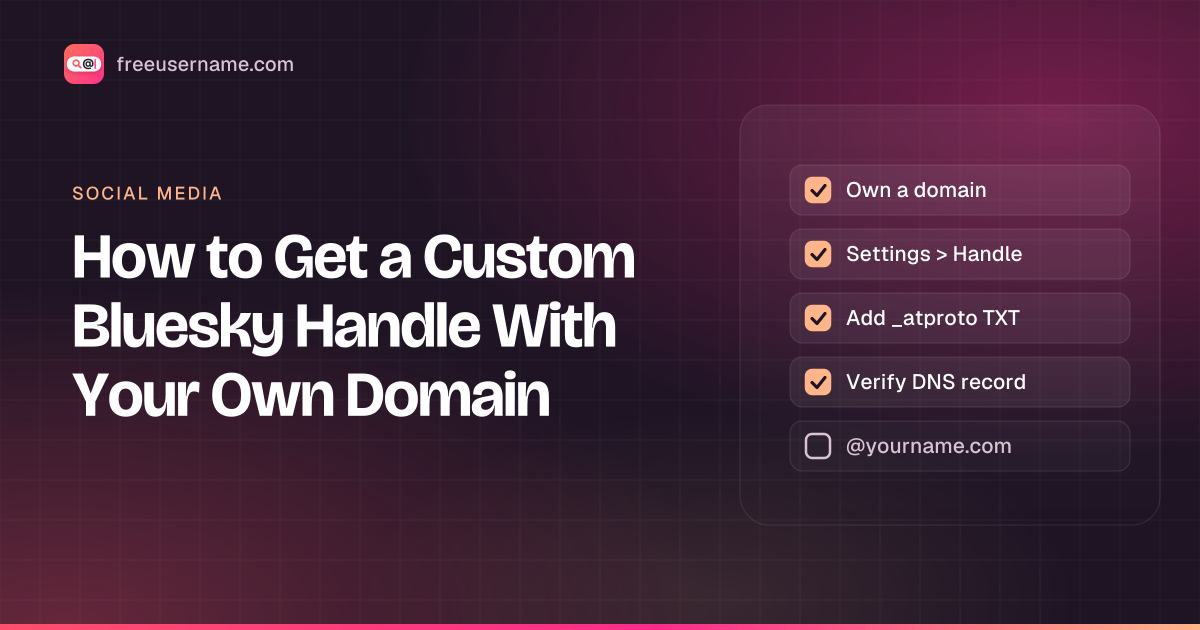
Every Bluesky account starts with a handle like mia.bsky.social. You can swap that for a domain you own, so you show up as @mia.com or @mia.example.com. It looks cleaner, and it proves something: only the person who controls the domain can use it as a handle.
This guide walks through both official methods, the DNS record and the text file, and covers the problems people hit most often. Steps follow Bluesky's own domain handle tutorial and the AT Protocol handle specification, checked on October 14, 2026.
Before you start
- A Bluesky account. Bluesky's support pages say to sign up with a
.bsky.socialhandle first and switch to your domain afterwards. - A domain you control. Bluesky no longer sells domains itself: its old domain service has stopped taking new registrations. Buy one from any registrar. Our name checker shows which .com, .net, .org and other endings are still free for your name.
- Access to DNS settings or to your website's files. You only need one of the two.
- A short enough name. The Bluesky app allows up to 30 characters in total for a custom domain handle. The protocol allows much longer, but the app is stricter.
Handles follow normal domain rules: letters, digits and hyphens in each part, no hyphen at the start or end of a part, and no capitals that matter, because handles are stored in lowercase. Endings such as .local, .onion, .example and .invalid are not allowed.
Method 1: add a DNS TXT record
This is the method most people use, and it works for a whole domain or a subdomain.
- In the Bluesky app or on bsky.app, open Settings, then Account, then Handle.
- Choose I have my own domain and type the domain you want, for example
mia.com. - Stay on the DNS option. Bluesky shows a record to add:
- Host or name:
_atproto - Type:
TXT - Value:
did=did:plc:followed by your account's ID
- Host or name:
- Open your domain's DNS settings in another tab and add that record exactly. The DID is public information, so there is no harm in pasting it anywhere it needs to go.
- Wait a couple of minutes, go back to Bluesky and click Verify DNS Record.
- When it succeeds, confirm the change. Your profile now shows
@mia.com.
Using a subdomain
For a handle like mia.example.com, the record goes on the subdomain: the host becomes _atproto.mia instead of _atproto, with the same kind of value. This is how organizations give staff handles under one company domain, and how you can keep a personal site on the main domain while using a subdomain on Bluesky.
Method 2: serve a text file on your website
If you cannot edit DNS but you do control a website on the domain, use the file method.
- In the same Handle screen, pick the option for no DNS panel. Bluesky shows your DID.
- Create a plain text file that contains only the DID, such as
did:plc:abc123…, with nodid=prefix and nothing else in it. - Publish it at
https://mia.com/.well-known/atproto-did. The protocol expects a successful (2xx) answer over HTTPS with the content typetext/plain. - Back in Bluesky, click the button to verify the text file, then confirm.
Static site hosts sometimes skip folders that start with a dot, so check that the address opens in a browser and shows only the DID before you verify.
When verification fails
- Wait a little longer. DNS changes can take a while to spread. A few minutes is normal; give it longer before you change anything else.
- Check the host field. Many DNS panels add your domain to the host automatically. If you type
_atproto.mia.comthere, you may end up with_atproto.mia.com.mia.com. Enter just_atproto. - Keep one record. Only one
_atprotoTXT record should exist for a handle. If you set this up before for another account, delete the old record first. - Copy the whole value. The value starts with
did=did:plc:. A missing prefix, a space or quote marks added by hand can break it. - File method: make sure the file is reachable over HTTPS with a valid certificate, answers with a 2xx status, and contains nothing but the DID.
- Too many attempts. Bluesky rate-limits handle changes, so several failed tries in a row can lock you out for a while. Wait a few minutes before you try again.
What happens after you switch
Your account does not move or reset. Bluesky identifies accounts by a permanent DID, not by the handle, so followers, posts and likes stay where they are. Bluesky's tutorial says tags and mentions of your old .bsky.social handle still point to your account, and that the old handle stays reserved for you.
Keep the DNS record or the file in place for as long as you use the handle. Apps check the link between the domain and your DID, and if it stops resolving, your handle can show as invalid. The same goes for the domain itself: let it expire and you lose the handle. Set it to renew automatically.
You can switch back at any time from the same Handle screen by choosing a .bsky.social handle again.
Domain handles and blue checks
In April 2025 Bluesky started showing blue verification badges for authentic and notable accounts, and selected organizations can verify accounts too. Bluesky described domain handles as a separate layer of verification that still applies. A badge and a domain handle answer different questions: the badge says Bluesky or a trusted verifier vouches for the account, and the domain says who controls the name.
Check the name before you buy a domain
If you are buying a domain for this, check the matching handle everywhere at the same time. Our Bluesky handle checker tells you whether the .bsky.social version is taken, and the FreeUsername username search checks the same name on other sites, including a Bluesky check for full domain handles. For the wider picture of picking and claiming a handle on Bluesky, see Bluesky handle availability: how to check and claim yours.
FreeUsername is not affiliated with Bluesky. Bluesky is a trademark of its owner.
Related tools
Check a username now. Free, no sign-up, 3,450+ sites.

Search usernames on your phone. Get the free Android app. Scans run on your device.

Related in Social media
- Social media
How to Find Someone's Alt Twitter (X) Account
How to find someone's alt Twitter account with honest methods: shared usernames, bio links and X advanced search. Plus why phone number search won't work.
· 3 min read
- Social media
How to See Previous Usernames on Instagram
What Instagram shows about old usernames: the former username count in About this account, your own account history, and why history checkers fall short.
· 7 min read
- Social media
Discord PFP Guide: Sizes, Banners and Profile Ideas
Discord pfp size, banner size and GIF rules checked against Discord support, plus profile picture ideas, a bio template and how to save an avatar safely.
· 8 min read
More from the blog
- Cute Username Ideas: 65+ Soft, Aesthetic & Short Names
- WhatsMyName Apps Is Now FreeUsername: Our Rebrand
- What's Inside a 3,000-Site Username Checker? We Opened Ours
- Who Runs the Web's Profile Pages? 3,457 Sites Analysed (2026)
- We Ran Sherlock, Maigret, Blackbird and Our Engine on the Same 10 Usernames
- The Username Format That Works on the Most Sites: We Tested 21 Formats Against 3,457 Sites’ Rules