
How to Remove Yourself from People-Search Sites
By David James · Published · Updated · 7 min read · Editorial policy
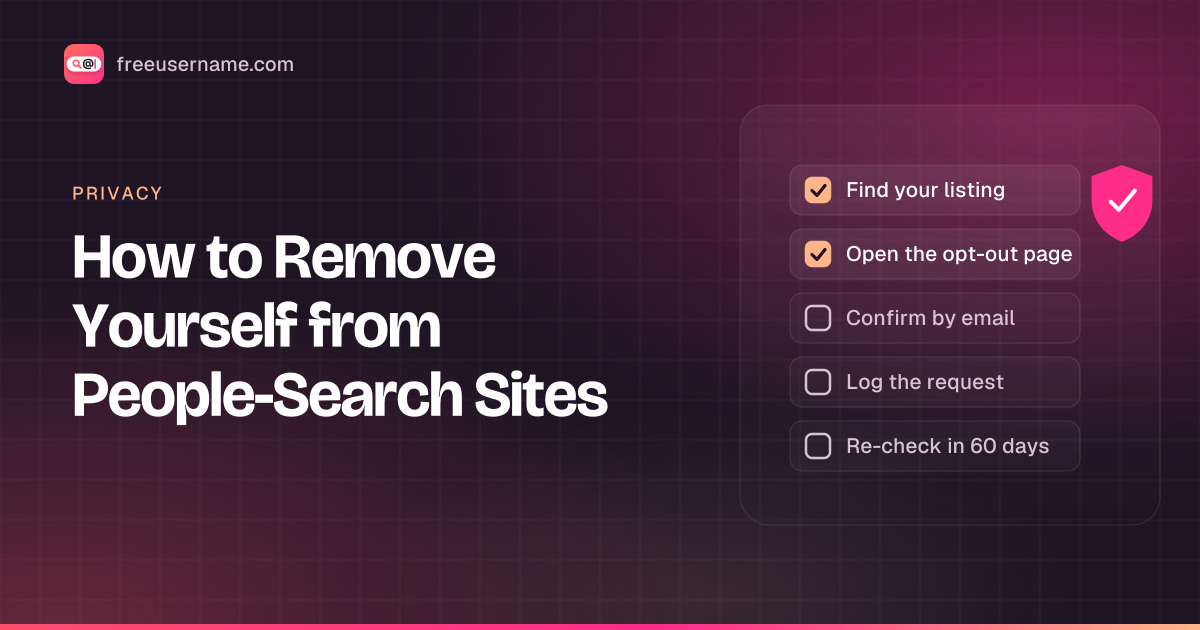
Type your full name into a search engine and there is a fair chance a people-search site shows up near the top, with your age, past addresses, relatives and an old phone number. These sites collect public records and commercial data, then package it into profiles that anyone can browse. The good news is that most of them offer a free opt-out. The catch is that you have to do it site by site, sometimes more than once.
Below are the short versions of the steps for four well-known sites, plus what to do when records reappear. Each of the first three also has its own detailed guide with what the form asks for, timings, how to confirm the removal and a tracking checklist.
Safety first: enter your details only on the real provider’s own domain. Lookalike “removal” sites exist to collect personal data. Each provider’s address is linked below, and none of them charges for an opt-out.
Before you start
A little setup makes this faster:
- Use a separate email address for opt-out requests. Most sites send a confirmation link, and a dedicated inbox keeps those messages out of your main account.
- Open a spreadsheet or a plain text file to log each request (more on that below).
- Search each site for your name in the city or state where you live now, and also where you lived before. Many people have more than one record.
Only opt out records about yourself. The steps below are written for people protecting their own information.
TruePeopleSearch
TruePeopleSearch blocks plain web requests, so we read its removal page in a rendered browser session on October 14, 2026. The process runs in two parts:
- On truepeoplesearch.com/removal, enter your name and email and complete the captcha.
- Click the link the site emails you within 24 hours. After that it expires.
- Fill in the opt-out form with details that match the record you want removed.
- Keep the confirmation email. The site says to allow 3 days.
No ID or payment is needed. Full details, including why about 29% of requests were denied in the operator's California filing, are in our guide on how to remove yourself from TruePeopleSearch. FastPeopleSearch uses a near-identical form but is run by a different company; see the FastPeopleSearch removal guide.
Spokeo
Spokeo's opt-out works from the URL of your listing:
- Search Spokeo for your name and open the listing that matches you.
- Copy the listing's URL from your browser's address bar.
- Go to Spokeo's opt-out page, paste the URL, enter your email address and complete the captcha.
- Open the confirmation email and click the link to finish the request.
If you have several listings (for example, one per old address), repeat the process for each URL. Spokeo's California registry filing says one opt-out covers its sister sites too, except ThatsThem, which has its own form. Our Spokeo opt-out guide has the details. Spokeo's own help content says that opting out does not remove the data from its original source, and that new listings can appear later when it receives records with a different address or a variation of your name. If the online form does not work for you, Spokeo says you can contact its support team with the link to your listing.
Whitepages
Whitepages handles removals through its opt-out (suppression request) page, a five-step form:
- Find your listing, click View Details and copy its URL.
- Paste the URL into the form, check the details and click "Remove Me".
- Choose a reason (it does not affect the request).
- Enter a phone number and take the automated verification call, typing in the four-digit code.
If you would rather not give a phone number, Whitepages' privacy page says you can email [email protected] instead. See our Whitepages opt-out guide for timings and how to check the result.
BeenVerified
BeenVerified's process starts with a search rather than a URL:
- Go to the BeenVerified opt-out search and search for your name and state.
- Select the record that is yours.
- BeenVerified sends a verification email. Click the link in it to confirm.
- You then get a second email confirming that the record was opted out.
The page says you do not need to be a member and never have to pay to remove your own record, and that the change usually shows up after about a day. One catch: the online form lets you remove one record. If you find more than one, the page says to email its privacy team to remove the rest. It also notes that the opt-out covers its people-search results, and your name could still appear in its other search services.
Why records come back
A removal is rarely permanent. These sites keep buying and pulling in new data, and when a fresh record arrives with a slightly different spelling, a middle initial, or a new address, their systems may not match it to the record you already removed. A new listing appears and you are back where you started. Both Spokeo and BeenVerified say as much in their own opt-out information.
Plan to recheck 30, 60 and 90 days after each removal. Opting out of one site also does nothing for the others, and it does not touch the public records the data came from. Plan to recheck every few months, and again after you move or change your phone number.
Keep a log
A simple log saves a lot of repeated work. For each request, write down:
- the site and the date you submitted the request
- the listing URL or the name and city you searched
- the email address you used and whether you clicked the confirmation link
- the date you checked that the listing was gone
When a record comes back, the log shows which variation of your details triggered it and gives you something concrete to send support.
Download the opt-out tracker template (CSV). It has columns for each request plus 30, 60 and 90 day rechecks.
Other brokers and paid removal services
The four sites above are only a starting point. There are many other people-search sites and data brokers, and plenty of them share data with each other. Our list of sites like TruePeopleSearch shows which ones share an operator and links to each opt-out page. Searching your full name, phone number and old addresses in a search engine is the quickest way to see which ones list you. Our guide on how to search yourself online covers that step in more detail.
Paid removal services also exist. They submit opt-outs on your behalf and recheck on a schedule. Everything in this guide you can do yourself for free, and doing it yourself may work better: in a 2024 Consumer Reports study of 7 removal services and 13 people-search sites, manual opt-outs removed 70% of volunteers' profiles within a week, while the paid services had removed 35% after four months.
State privacy laws can help
A growing number of US states give residents the right to ask businesses, including data brokers, to delete their personal information. The details differ from state to state, so check what your own state's privacy law covers.
California has gone furthest. Under the Delete Act, the state runs the Delete Request and Opt-out Platform (DROP), which lets California residents send one deletion request to the hundreds of data brokers registered with the state. At the time of writing, the state's page says DROP is free, residency is verified through the California Identity Gateway, and brokers began processing requests on August 1, 2026, with status updates that can take up to 90 days. If you live in California, use it alongside the opt-outs above.
What our tool does and does not do
To be clear about where we fit: FreeUsername is not a people-search site. We do not search by name, phone number or address, and we are not a consumer reporting agency.
What we do is narrower. Our tool checks whether a username appears on public profile pages across 3,450+ sites. That covers a different part of your footprint: forgotten accounts whose bios may show your name, photo or location. You can check where your own usernames appear and then clean up or delete the accounts you no longer use. The username you enter is sent to our server only to run the check and is not stored or logged. For a fuller walk-through, see our digital footprint check, and once you know which accounts you are keeping, our guide to social media privacy settings shows how to limit what they show.
TruePeopleSearch, Spokeo, Whitepages and BeenVerified are trademarks of their respective owners. FreeUsername is not affiliated with or endorsed by any of them, and opt-out processes can change at any time, so the site's own page is always the final word.
Related tools
Check a username now. Free, no sign-up, 3,450+ sites.

Search usernames on your phone. Get the free Android app. Scans run on your device.

Related in Privacy
- Privacy
Digital Footprint Check in Canada: Free, No Sign-Up
A free digital footprint check for Canada: search your usernames, Google yourself and clear out people search listings. No sign-up, about 15 minutes.
· 5 min read
- Privacy
PIPEDA Privacy Rights and Quebec Law 25, Explained
Your PIPEDA privacy rights in plain words: how to request your personal information in Canada, how to complain to the OPC, and what Quebec Law 25 adds.
· 5 min read
- Privacy
Remove Yourself from People Search Sites in Canada
People search sites in Canada can list your name, phone, address. How to find your listings, use opt-outs, cite PIPEDA and escalate to the OPC if needed.
· 5 min read
More from the blog
- Cute Username Ideas: 65+ Soft, Aesthetic & Short Names
- WhatsMyName Apps Is Now FreeUsername: Our Rebrand
- What's Inside a 3,000-Site Username Checker? We Opened Ours
- Who Runs the Web's Profile Pages? 3,457 Sites Analysed (2026)
- We Ran Sherlock, Maigret, Blackbird and Our Engine on the Same 10 Usernames
- The Username Format That Works on the Most Sites: We Tested 21 Formats Against 3,457 Sites’ Rules