
Digital Footprint Check in Canada: Free, No Sign-Up
By David James · Published · 5 min read · Editorial policy
Free, no sign-up. Checks 3,450+ sites; the username is not stored or logged.
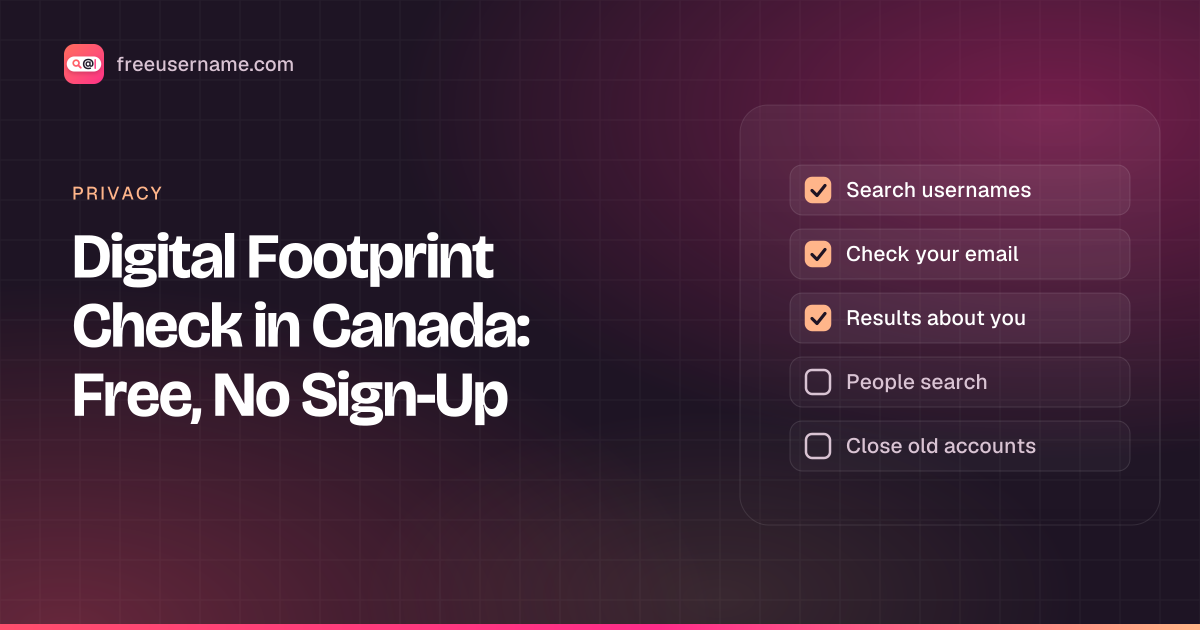
If you live in Canada and want a digital footprint check, you don't need a paid service. The free tools on this site cover the parts of your online footprint that matter most to scammers, employers and landlords: where your usernames show up and whether your email has leaked. This guide walks you through a full self-audit, step by step, with a few notes that apply only to Canadians.
For the general idea of what a footprint is, read what is my digital footprint. If you want to compare tools first, see our list of free digital footprint checkers. This post is the hands-on version for Canada.
Your Canadian digital footprint checklist
| Step | Free tool | Time |
|---|---|---|
| 1. Search your usernames | Free username search | 3 min |
| 2. Check your email for breaches | Have I Been Pwned (free) | 2 min |
| 3. Google yourself and review "Results about you" | Google Search and your Google Account | 4 min |
| 4. Look for people search listings | A name search on a few sites | 4 min |
| 5. Close or secure old accounts | Your results from step 1 | 2 min |
Step 1: Check my digital footprint by username
Most people reuse one or two handles for years. Type each one into our free username search. It is powered by our own FreeUsername™ search engine and checks 3,450+ sites, from big social networks to small forums and game sites. You can enter up to five names at once, and nothing you type is stored.
Write down every profile that is yours. Pay attention to the ones you forgot about. An old account with a reused password is one of the easiest ways into your other accounts. If you only care about one network, the single-site pages such as the Instagram username check or the Facebook username check are quicker.
Step 2: Check your email for data breaches
Run each email address you use through Have I Been Pwned, the free breach search run by security researcher Troy Hunt. It lists the known breaches each address appeared in and what leaked, such as passwords or phone numbers; our guide to Have I Been Pwned alternatives covers other free options. Breaches of companies with Canadian customers show up there too. Our own email breach check is coming later.
If a password leaked, change it on that site and anywhere else you reused it. Turn on two-factor sign-in for your email first, since your inbox is the key to resetting everything else.
Step 3: Google yourself, then use "Results about you"
Search your full name in quotes, then add your city or province, for example "Jane Tremblay" Halifax. Search your phone number and your email address as well. Check the image results, not just the web results.
Google's "Results about you" tool, where it is available for your account, lets you ask Google to remove search results that show your phone number, home address or email. It doesn't delete the page itself, only the search result. Availability and features differ by country and change over time, so open it from your Google Account to see what you can use. Our guide to searching yourself online has more search tricks.
Step 4: Look for people search listings
People search sites build profiles from public records and other sources. Many are US-based, but Canadians can still turn up in them, and some directories list Canadian phone numbers and addresses. Search your name on a few of them. If you find a listing, read our guide to removing yourself from people search sites in Canada.
Step 5: Close or lock down old accounts
Go back to the list from step 1. Delete the accounts you don't use. For the ones you keep, set a new unique password and turn on two-factor sign-in. Our posts on finding old accounts and securing old accounts go into more detail.
What's different for Canadians
- Your privacy rights. Under federal privacy law (PIPEDA), you can ask many businesses what personal information they hold about you. The Office of the Privacy Commissioner of Canada (OPC) publishes plain guides at priv.gc.ca. We explain the basics in PIPEDA privacy rights and Quebec's Law 25.
- Quebec. Quebec has its own private-sector privacy law, updated by Law 25. If you prefer French, you can use this whole site in French at /fr/.
- Fraud. If your footprint check turns up signs of fraud, our guide to identity theft in Canada lists who to call.
Check your online footprint from your phone
On Android, the free app FreeUsername: Username Checker runs the username search from your own phone and is available in French. You can also visit FreeUsername.com, the home of our engine. Learn more on the app page.
A note on checking other people
These tools work on any public username, not just yours. Use them for fair reasons, such as checking a seller or a new contact, and never to track, stalk or harass anyone. Our ethics guide explains where the lines are.
Prefer your phone? Our username checker app for Canada runs the same search on Android.
FAQ
Is there a free digital footprint checker for Canada?
Yes. Our username search works the same in every province and territory, with no sign-up. Together with a Google search they cover most of a basic online footprint check in Canada.
Can I do this check in French?
Yes. The site is available in French at /fr/, and the Android app supports French too.
Who regulates online privacy in Canada?
The Office of the Privacy Commissioner of Canada oversees federal privacy law for many businesses. Alberta, British Columbia and Quebec have their own private-sector laws that may apply instead. Check the OPC's site for which law covers your case.
How often should Canadians check their digital footprint?
Every few months is enough for most people, and again after you hear about a large breach at a company you use.
Is FreeUsername free?
Yes, and you don't need an account. Ads pay for the site, and we don't keep the usernames you search.
Is the FreeUsername app free?
Yes. FreeUsername: Username Checker is free on Google Play for Android. An iPhone version is coming soon.
Related tools
Check a username now. Free, no sign-up, 3,450+ sites.

Search usernames on your phone. Get the free Android app. Scans run on your device.

Related in Privacy
- Privacy
PIPEDA Privacy Rights and Quebec Law 25, Explained
Your PIPEDA privacy rights in plain words: how to request your personal information in Canada, how to complain to the OPC, and what Quebec Law 25 adds.
· 5 min read
- Privacy
Remove Yourself from People Search Sites in Canada
People search sites in Canada can list your name, phone, address. How to find your listings, use opt-outs, cite PIPEDA and escalate to the OPC if needed.
· 5 min read
- Privacy
Identity Theft in Canada: What to Do and Who to Call
Identity theft in Canada, what to do: call your bank, report to police and the CAFC, contact Equifax and TransUnion, and check if your email leaked, free.
· 4 min read
More from the blog
- Cute Username Ideas: 65+ Soft, Aesthetic & Short Names
- WhatsMyName Apps Is Now FreeUsername: Our Rebrand
- What's Inside a 3,000-Site Username Checker? We Opened Ours
- Who Runs the Web's Profile Pages? 3,457 Sites Analysed (2026)
- We Ran Sherlock, Maigret, Blackbird and Our Engine on the Same 10 Usernames
- The Username Format That Works on the Most Sites: We Tested 21 Formats Against 3,457 Sites’ Rules