
How to Search X (Twitter) by Username and Find Old Handles
By David James · Published · Updated · 7 min read · Editorial policy
Free, no sign-up. Checks 3,450+ sites; the username is not stored or logged.
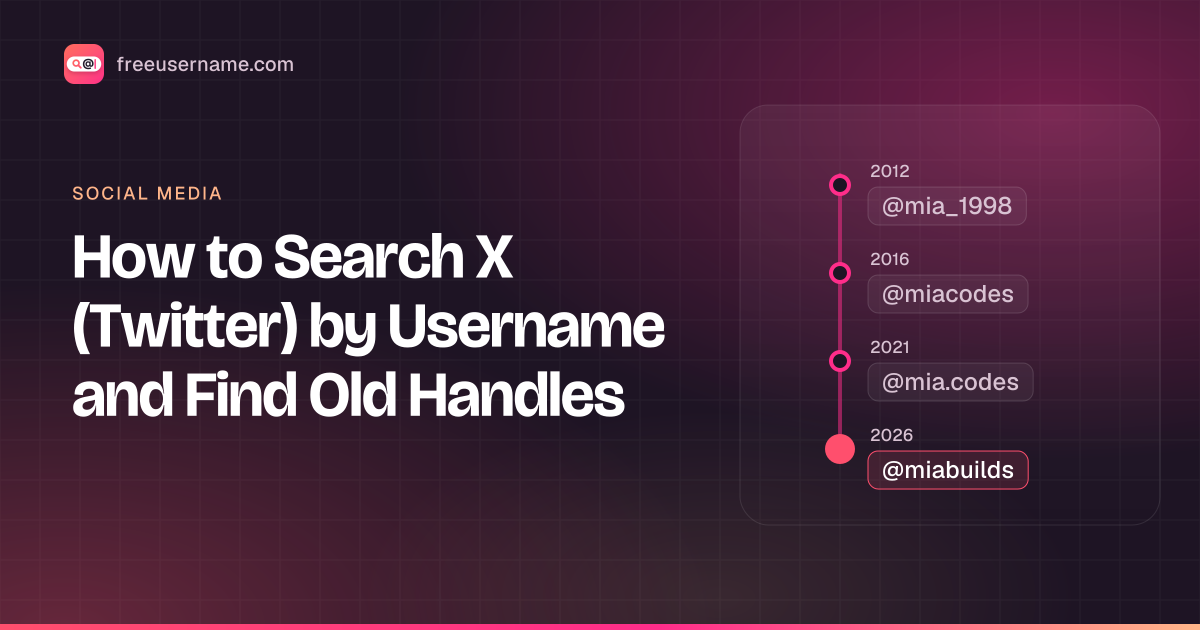
Searching X by username is simple when you have the current handle. It gets harder when the handle you remember is an old one, because X lets people change their @name whenever they like. This guide covers the direct methods first, then what you can realistically do about handles that have since changed.
An X username, or handle, is the unique @name in an account's address, x.com/username.
Key takeaways
- Open x.com/username directly. It is the fastest check for a current handle.
- Use
from:usernamein X search to see posts by one account. - Renamed handles stop pointing to the old account, and someone else can claim them later.
- For your own past handles, request your X data archive.
Go straight to the profile URL
Every X account sits at x.com/username. Type the handle without the @ and you land on the profile. Old twitter.com links still redirect, and the rebrand did not change anyone's username, so a handle from years ago works on either address if the owner has kept it.
What the page shows tells you a fair amount:
| What x.com/username shows | What it means |
|---|---|
| A normal profile | The handle is in use by that account right now. |
| "This account doesn't exist" | No current account holds that exact handle. It may have been renamed, deactivated, or never existed. |
| A suspension notice | The account is suspended. The name is still held, even though you cannot see the posts. |
| Header only, posts hidden | A protected account. Posts are hidden from anyone the owner has not approved. |
X handles only use letters, numbers and underscores, and are at most 15 characters. If a handle you were given has a period or a dash, it was copied wrong or belongs to a different platform.
Using the search bar
The search bar finds accounts by name, and the from: operator finds their posts. Typing a name into X's search box returns accounts whose username or display name matches, under the People tab. That is useful when you only remember someone's display name, but display names are not unique and anyone can set one, so check the @handle under each result.
To search the posts of one account, X supports the from: operator. Type from:username in the search box to see posts by that account, or add a word to narrow it down: launch from:username. You can combine it with dates through X's advanced search, which works when you are logged in. Searching @username on its own, without from:, also brings up posts by other people that mention the account.
Search only covers posts you are allowed to see. Posts from protected accounts stay hidden unless you follow them, and deleted posts are gone from search.
A made-up example of why old handles are hard to trace: in 2021 a user posts as @harbor_jo. In 2023 they rename to @jo_writes, so @harbor_jo stops pointing to them. In 2024 someone else claims @harbor_jo. Old links and screenshots now point to a stranger. An archived page showing @harbor_jo tells you what that page said at the time, not who owns the handle today.
Using X as a Twitter account finder
Without a handle, you can find an account through suggestions, contact matching, lists or a web search. The "Who to follow" suggestions are based on accounts you already follow and interact with. If you choose to upload your contacts, X can match people in your address book who allow it. Under Settings and privacy, then Privacy and safety, then Discoverability and contacts, each user decides whether people who have their email address or phone number can find them, so a contact match only works if the other person has left that on.
Lists are another route. Public lists made by other users group accounts by topic, so a list about a company or a local news scene can lead you to the person you have in mind. And a web search for a name plus "X" or "Twitter" often turns up a profile linked from a personal site or a news article.
Whatever the route, check the @handle, the join date and the posts before you decide an account is the right one. Many accounts share display names and profile photos.
Why old handles are hard to follow
Old handles are hard to follow because a rename breaks links and frees the old name. When someone changes their username on X, the account keeps its followers, posts and verification. Only the @name changes. That has two side effects. First, links and mentions that used the old handle stop leading to the account. Second, the old handle is released and someone else can claim it later. So x.com/oldname today might show nothing, or might show a completely different person.
Behind the scenes, X tracks every account by an internal number that does not change when the handle does. That is how the account keeps its history across renames. We are not going to explain how to dig up that number for other people's accounts. Using internal identifiers to follow someone across name changes they made on purpose is exactly the kind of tracking that turns into stalking, and it is not what a username search is for.
Finding your own old handles
For your own account, there is a clean answer: request your data archive. In Settings and privacy, open Account, then Your X data, verify your identity, and request your data. X emails you when the download is ready. According to X's help article on downloading your archive, it includes your profile information, posts, Direct Messages, media, followers and more, in HTML and JSON files. Look through the profile section for past usernames. X's help page does not list every field, so what you find may vary.
Worked example: say you posted as @nightowl92 years ago and now use @owl_writes. Your archive is where to confirm the old name. Then run nightowl92 through our checker. If it shows Found on X, open x.com/nightowl92: it is either still yours under another account you forgot, or someone claimed it after you renamed. A Found on a forum you used in school is a forgotten account to close or secure.
Once you know your old handles, search them too. You can check an old handle across 3,450+ sites to find profiles you made elsewhere under the same name and forgot about. Our guides to finding old accounts and securing old accounts cover what to do with them.
Public archives, used carefully
Public web archives such as the Wayback Machine keep snapshots of some public pages, including some old X profiles. If you are researching a public figure, a company or a long-running public account, an archived copy of twitter.com/oldname can show who used that handle at the time of the snapshot. Keep it to public accounts and public interest. Do not use archives to recover posts a private person deleted, or to connect an ordinary person's old and new identities against their wishes. People change handles for real reasons, including getting away from harassment.
Checking if an X handle is available
Only X's own username settings can confirm a handle is free. To get a first answer, start with x.com/thename. A live profile or a suspension notice means it is taken. "This account doesn't exist" is promising but not conclusive, because deactivated accounts can still hold a name for a while. Our X username checker runs the lookup and lists X's handle rules, including the length limit and its policy on inactive names. The settings screen (Settings and privacy, Your account, Account information, Username) gives the final answer.
Our tool shows each result as Found, Not found, Blocked or Unknown. X limits anonymous requests, so Blocked comes up more than on most sites. Treat every result as a lead to confirm, and remember that only X's own form can say a name is free. What you type goes to our server only to run the check and is not stored or logged.
For other platforms, see the guides to Instagram username search and claiming a Threads or Bluesky handle.
Looking for a second account? Read how to find an alt X account. Instagram keeps a rename history too: see previous Instagram usernames.
Quick answers
Can I search X without logging in?
You can open a profile URL directly, but X restricts what logged-out visitors can browse, and advanced search needs an account.
Does changing my X handle lose my followers?
No. Followers, posts and verification stay with the account. Links to the old handle stop working, and the old name becomes available to others.
FreeUsername is not affiliated with X Corp. X and Twitter are trademarks of their owner.
Related tools
Check a username now. Free, no sign-up, 3,450+ sites.

Search usernames on your phone. Get the free Android app. Scans run on your device.

Related in Social media
- Social media
How to Find Someone's Alt Twitter (X) Account
How to find someone's alt Twitter account with honest methods: shared usernames, bio links and X advanced search. Plus why phone number search won't work.
· 3 min read
- Social media
How to See Previous Usernames on Instagram
What Instagram shows about old usernames: the former username count in About this account, your own account history, and why history checkers fall short.
· 7 min read
- Social media
Discord PFP Guide: Sizes, Banners and Profile Ideas
Discord pfp size, banner size and GIF rules checked against Discord support, plus profile picture ideas, a bio template and how to save an avatar safely.
· 8 min read
More from the blog
- Cute Username Ideas: 65+ Soft, Aesthetic & Short Names
- WhatsMyName Apps Is Now FreeUsername: Our Rebrand
- What's Inside a 3,000-Site Username Checker? We Opened Ours
- Who Runs the Web's Profile Pages? 3,457 Sites Analysed (2026)
- We Ran Sherlock, Maigret, Blackbird and Our Engine on the Same 10 Usernames
- The Username Format That Works on the Most Sites: We Tested 21 Formats Against 3,457 Sites’ Rules