
Find Forgotten Accounts Using Only Your Phone
By David James · Published · Updated · 6 min read · Editorial policy
Free, no sign-up. Checks 3,450+ sites; the username is not stored or logged.
Most of us have signed up for far more things than we remember: a game in 2014, a coupon app, a forum you joined to ask one question. Each one still holds an email address, maybe a password you reused, maybe a birthday. You can't close accounts you don't know about.
Key takeaways
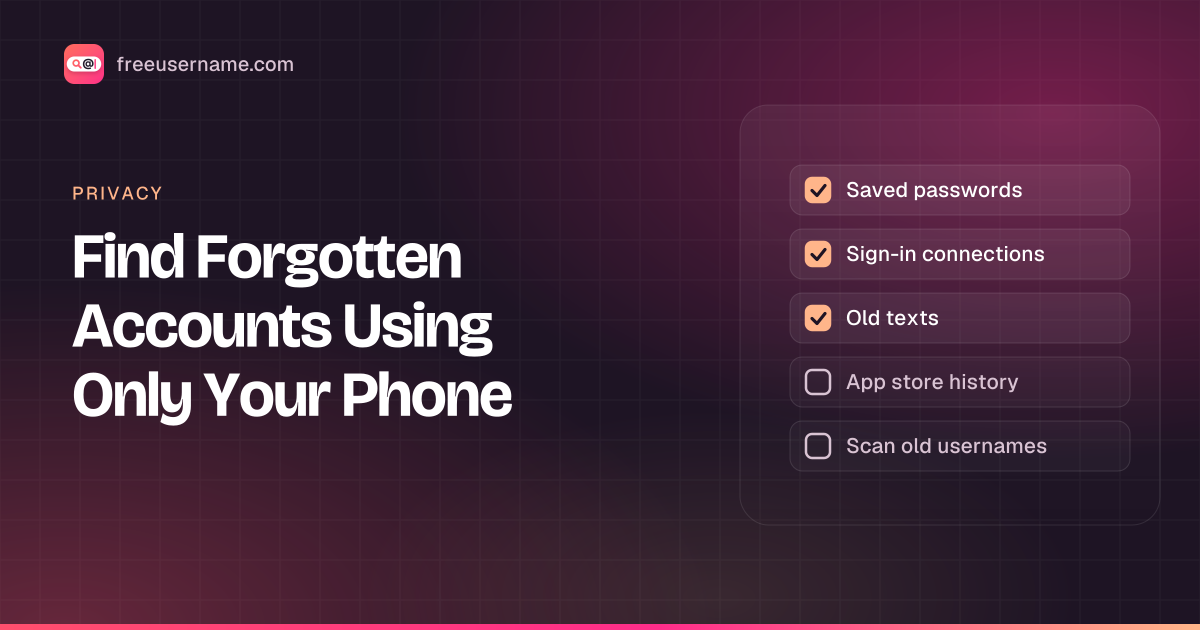
- Your saved passwords, "sign in with" connections, old texts, inbox and app store history all list past sign-ups.
- Those five places only catch accounts tied to this phone, its email or its number.
- For older accounts, scan the usernames you used back then.
- Sort each find into keep, secure or delete, and save the list.
A forgotten account is any account you signed up for and no longer use or remember, which still holds your details.
You don't need a laptop to track them down. Your phone already holds most of the clues, and a username scan picks up the rest. Set aside 20 minutes and work through the list below.
Six places on your phone that remember your accounts
The six places are your saved passwords, sign-in connections, texts, email, app store history and your old usernames.
1. Your saved passwords
Open the password manager built into your phone or browser and scroll the full list. Every entry is a site where you once had a login. Sort by name and note anything you don't use any more. Menu names vary by phone, but searching your settings for "passwords" usually finds it.
2. "Sign in with" connections
If you ever tapped "Continue with Google", "Sign in with Apple" or a social login, the account behind that button keeps a list of connected apps. Look in the security or sign-in section of your main account settings. These sign-ups often leave no password behind, which is why they are easy to forget.
3. Old verification texts
Search your messages app for words like "code", "verification" or "confirm". Every service that texted you a sign-up code shows up, often with its name in the message. For accounts tied to your phone number, this is about the fastest search there is.
4. Your email inbox
The mail app on your phone searches just as well as a computer. Try "welcome", "verify your email", "confirm your account" and "your receipt". Repeat for every address you have used, including that old one you only check once a year.
5. App store history
Both big app stores keep a record of apps you installed and later removed. On Android, look in the Play Store under your profile for the list of apps that are no longer on this device. On an iPhone, check your purchased apps in the App Store for ones not on the phone. Any app you ever logged into probably still has your account.
6. Your old usernames
The five places above only catch accounts linked to this phone, its email or its number. Older accounts, made on a family computer or under a nickname from school, need a different approach: search for the usernames themselves.
One caution for every step below: an app on your phone, or a past install in your app store history, shows you used the app, not that you made an account. Some apps work without one. Treat each find as a lead, then try signing in or resetting the password to confirm.
Scan your old usernames from the phone
You can scan old usernames right from your phone with our app or the web checker.
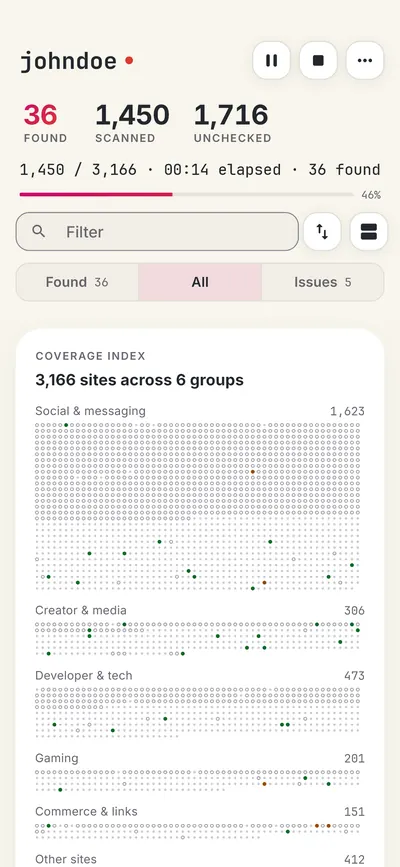
Write down every handle you can remember, including gamer tags and the embarrassing ones. If you have forgotten some, our guide on how to find your old username has tricks for digging them up.
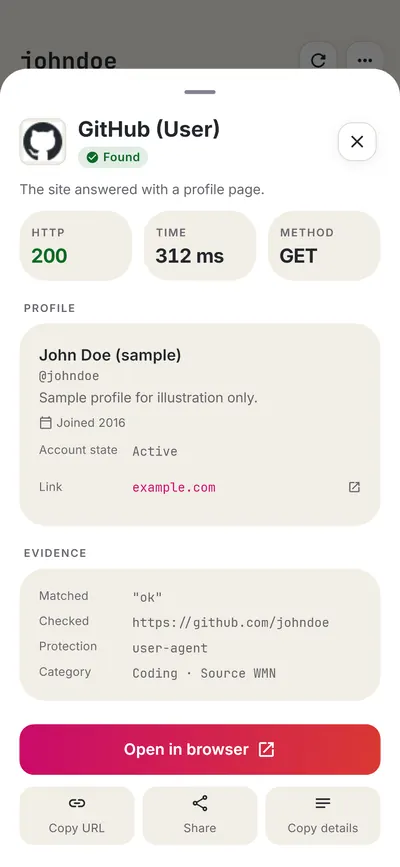
Then run each one through a username search. Our free username search app for Android checks 3,450+ sites, and the scan runs on your phone, so the names you type aren't sent to us. Results come in live as Found, Not found, Blocked or Unknown. Tap a found account to see its public profile details where the site allows it. A familiar avatar or an old bio quickly tells you whether it is yours or a stranger's with the same handle.
Here is what that looks like. Say your old gamer tag was nightowl92. You type it into the app and start the scan. A few sites come back Found. One is a forum you remember joining. Another shows an avatar you don't recognise, so it is probably someone else. A couple come back Blocked, which means the site refused the check, so open those in your browser to look yourself. Write the forum down for the next step and skip the stranger's profile.
The app is free with ads and gives you a set of free searches each day. If you have a long list of old handles, split it over a few days or unlock more searches in the app. On an iPhone, our web digital footprint checker runs the same kind of scan in the browser.

Keep, secure or delete
Once you have the list, sort every account into one of three piles:
| Pile | When | What to do |
|---|---|---|
| Keep | You still use it. | Make sure the password is unique and two-step sign-in is on. |
| Secure | You don't use it but can't delete it, or want to keep the name. | Change the password, update the recovery email and phone, and strip out personal details. Our guide on securing old accounts covers each step. |
| Delete | You don't need it. | Look in the account settings for a delete option, not just "deactivate", which often keeps your data. Some sites make you email support. |
If you can't log in to an old account at all, try the password reset with each of your old email addresses. If that fails, the site's help pages usually list another way to prove it is yours. For a fuller walk-through, see find your old accounts and clean up your digital footprint.
Keep a list so you only do this once
A saved list means you only do the full search once. Export your scan results from the app as CSV or JSON and add a column for what you did with each account. When a site you used years ago reports a data breach, you will know straight away whether you still have an account there. Re-run your main usernames once or twice a year. It takes a few minutes and catches anything new.
If you want a ready-made list with keep, secure and delete columns, download the account inventory template (CSV).
FAQ
How do I find accounts linked to my phone number?
Search your text messages for "code" or "verification". Most services that used your number sent a sign-up code. Your saved passwords and "sign in with" connections fill in the rest.
Can a username search find accounts I made with my email?
Only if you used the same username. Searching your inbox for welcome emails is the better route for email-only sign-ups.
Is deleting an account the same as deactivating it?
No. Deactivating usually hides the account but keeps your data, and you can switch it back on. Deleting removes it, sometimes after a waiting period.
Does the app keep a copy of my searches?
Your recent searches stay on your phone, and you can delete them in one tap. The app's privacy policy lists what the app and its ads collect.
The app and this site are not affiliated with the WhatsMyName project or with Google. Google Play is a trademark of Google LLC.
Related tools
Check a username now. Free, no sign-up, 3,450+ sites.

Search usernames on your phone. Get the free Android app. Scans run on your device.
Related in Privacy
- Privacy
Digital Footprint Check in Canada: Free, No Sign-Up
A free digital footprint check for Canada: search your usernames, Google yourself and clear out people search listings. No sign-up, about 15 minutes.
· 5 min read
- Privacy
PIPEDA Privacy Rights and Quebec Law 25, Explained
Your PIPEDA privacy rights in plain words: how to request your personal information in Canada, how to complain to the OPC, and what Quebec Law 25 adds.
· 5 min read
- Privacy
Remove Yourself from People Search Sites in Canada
People search sites in Canada can list your name, phone, address. How to find your listings, use opt-outs, cite PIPEDA and escalate to the OPC if needed.
· 5 min read
More from the blog
- Cute Username Ideas: 65+ Soft, Aesthetic & Short Names
- WhatsMyName Apps Is Now FreeUsername: Our Rebrand
- What's Inside a 3,000-Site Username Checker? We Opened Ours
- Who Runs the Web's Profile Pages? 3,457 Sites Analysed (2026)
- We Ran Sherlock, Maigret, Blackbird and Our Engine on the Same 10 Usernames
- The Username Format That Works on the Most Sites: We Tested 21 Formats Against 3,457 Sites’ Rules