
Pinterest Username Checker
By FreeUsername · Reviewed · Editorial policy
Your Pinterest username forms your profile address, pinterest.com/name, which brands often print on packaging and business cards. Pinterest lets you change it from your profile settings. Check a name below, then match it against the rules in Pinterest's help center.
Pinterest username rules
| Length | Between 3 and 30 characters. |
|---|---|
| Allowed characters | Letters only, or a combination of letters, numbers and underscores. |
| Not allowed | Spaces, punctuation marks, or a name made up only of numbers. |
| Profile link | Your username becomes your profile web address, for example pinterest.com/name. |
Sources: Pinterest Help: edit your profile. Last reviewed 2026-10-13. Platforms change their rules; the linked help pages are the final word.
How to check a Pinterest username
- Enter the name using only letters, numbers and underscores. Periods and hyphens will not pass Pinterest's rules.
- This check loads pinterest.com/<name>/ and looks for the profile title, or for Pinterest's own "User not found" error inside the page. If Pinterest serves a generic page instead, you get "Unknown"; a manual check settles it.
- Visit pinterest.com/<name>/ yourself. If you land on the Pinterest home page or a "couldn't find" message rather than a profile, the name is probably not in use.
- Type the name in Settings, Edit profile, Username to get Pinterest's own answer.
Pinterest username taken? What you can do
- Add an underscore between words (mia_bakes) or a short descriptor such as shop, studio or designs.
- Business accounts often add their location or product line, which also helps Pinterest search.
- If an account uses your trademark or impersonates your business, report it through Pinterest's intellectual property or impersonation report forms.
- Remember that a number-only name is never allowed, so add at least one letter to a numeric idea.
How to change your Pinterest username
- On the web, click the more-options icon at the bottom left, then Settings.
- Click Edit profile and scroll to Username.
- Enter the new name and click Save.
- In the app, tap your profile picture, then View profile and Edit profile.
Reserved and restricted names
Pinterest can remove usernames that impersonate other people or businesses or that infringe trademarks, under its Community Guidelines and intellectual property policies.
Tips
- Since your username is your profile URL, keep it close to your brand name so people can type it from a printed label.
- Update links in your website footer and shop listings after a rename so traffic keeps reaching your boards.
- If you run a business account, claim your website in Pinterest settings too; it adds trust beside the username.
Frequently asked questions
Can a Pinterest username be only numbers?
No. Pinterest requires letters, or letters combined with numbers and underscores.
Can I use a period in my Pinterest username?
No. Pinterest does not allow punctuation marks in usernames; use an underscore instead.
Does my Pinterest URL change if I change my username?
Yes. Your username forms your profile address, so the link changes with it.
Also check on other top platforms
Each platform has its own checker page with its own rules. Pick one to test the same name there.
 Instagram
 TikTok
 X (Twitter)
 YouTube
 Facebook
 Snapchat
 Reddit
 LinkedIn
 Threads
 Telegram
 Discord
 Twitch
 GitHub
 Spotify
 SoundCloud
 Steam
Steam Medium
 Tumblr
 Bluesky
Check all 3,450+ sites at once with the full username search, or get the Android app to run the same search from your phone.
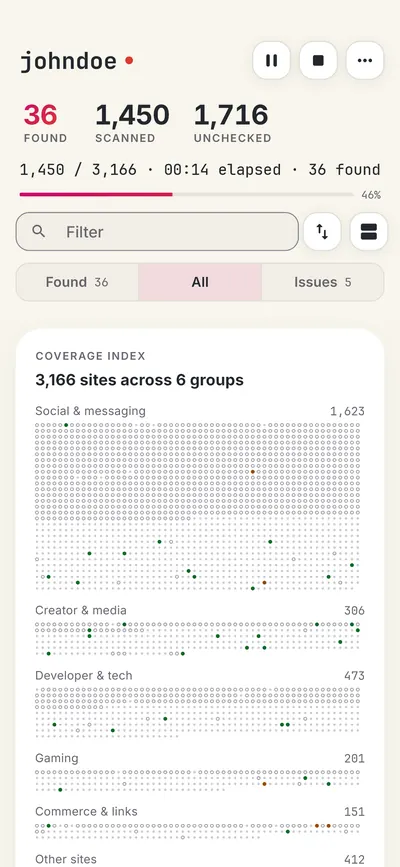
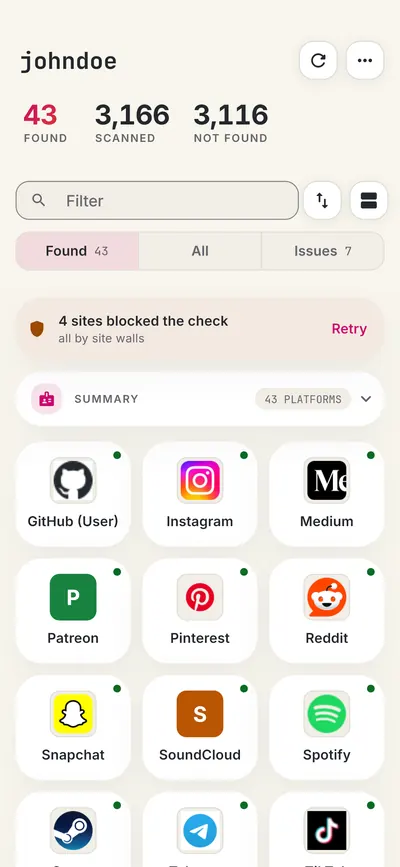
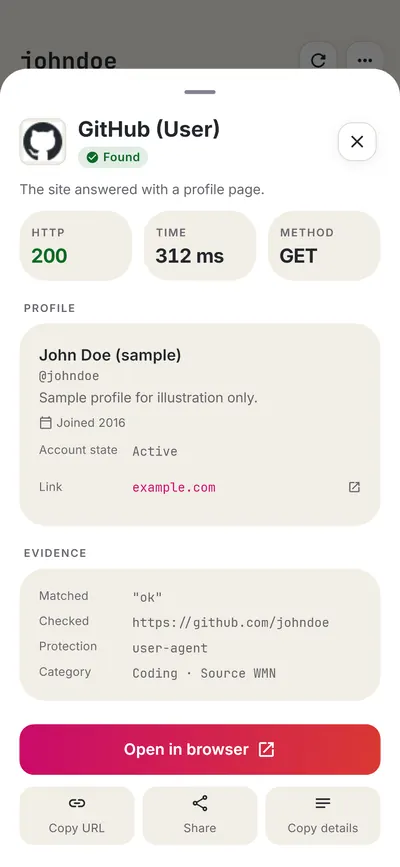
 FreeUsername: Username Checker
More social media username checkers
- Instagram Username Checker
- TikTok Username Checker
- Threads Username Checker
- Snapchat Username Checker
- Reddit Username Checker
- X (Twitter) Username Checker
- All 22 social media checkers
- All platform checkers · All 3,450+ supported sites · Search every site at once
Not affiliated with Pinterest. FreeUsername is an independent tool, not endorsed by Pinterest, the WhatsMyName project, Sherlock or Maigret. Results are leads to verify.