
Steam Username Checker
By FreeUsername · Reviewed · Editorial policy
Steam has three different names: a private account name for signing in, a public profile name anyone can change, and an optional custom URL at steamcommunity.com/id/name. Only the custom URL is unique and public, so that is what this checker looks up.
Steam username rules
| Account name | The sign-in account name cannot be changed, even by Steam Support. |
|---|---|
| SteamID | Every account has a fixed 17-digit SteamID64 that never changes. |
| Profile name | The player name shown to friends can be changed at any time under Edit Profile, and does not have to be unique. |
| Custom URL | Optional and set in Edit Profile. Clearing it shows your numeric profile URL again. |
Sources: Steam Support: SteamID and account names. Last reviewed 2026-10-13. Platforms change their rules; the linked help pages are the final word.
Steam profile lookup
A Steam profile lookup here works from the custom URL, the text after steamcommunity.com/id/. Type it into the box above and we open that address and report whether a profile answers. The profile name players see in game is not unique, so it cannot be looked up this way, and the private account name never appears on a profile.
If a friend sends a link that ends in a long number, that is their SteamID64 profile link. Open it directly; it keeps working even when they change their custom URL. To find a player from a name you saw in game, see our Steam username lookup guide.
How to check a Steam username
- Enter the custom URL text you want, the part after steamcommunity.com/id/.
- We open steamcommunity.com/id/<name> and look for profile data. Steam returns an error page when no profile has that URL, which we report as "Not found."
- This does not reveal account names, which are private. A free custom URL says nothing about whether the same account name exists.
- Check by hand at steamcommunity.com/id/<name>; "The specified profile could not be found" means the custom URL is unused.
Steam username taken? What you can do
- Add a number or a gaming word to the custom URL: miaplays, mia_gg.
- Your profile name does not need to be unique, so you can show the exact name you want while using a different custom URL.
- If an account impersonates you or a brand, report the profile from its page on Steam Community.
- Account names cannot be changed or merged, so if you dislike yours, the only route is a new account, and games do not transfer between accounts.
How to change your Steam username
- Open your Steam Community profile and click Edit Profile.
- Change Profile Name to update the name people see.
- Fill in the Custom URL box to set or change steamcommunity.com/id/name, then save.
Reserved and restricted names
Profiles that pose as Valve staff or other players can be reported from the profile page on Steam Community. Account names are permanent, so choose one you are comfortable typing at every sign-in.
Tips
- Keep your account name different from your profile name and custom URL; it is a sign-in credential, and showing it publicly helps phishers.
- Old custom URLs stop working when you change them, so update links in forums and trading sites.
- Your 17-digit SteamID64 profile link always works, even when you change the custom URL.
Frequently asked questions
Can I do a Steam ID search or Steam player search here?
Partly. Paste a custom URL name and we check steamcommunity.com/id/name. A numeric SteamID64 opens directly at steamcommunity.com/profiles/<id>. For a Steam user search by profile name, use the search box on the Steam Community site, since profile names are not unique.
Can I change my Steam account name?
No. Steam's help center says the account name and SteamID cannot be changed, even by support staff. You can change your profile name and custom URL.
Do Steam profile names have to be unique?
No. Many players can share a profile name. The custom URL is what has to be unique.
Can I do a Steam name lookup by profile name?
Not here. Profile names are not unique and have no address of their own, so only the custom URL can be looked up. A numeric profile link (steamcommunity.com/profiles/ followed by a 17-digit SteamID64) always works when you open it, but this checker does not take numeric IDs.
Can I merge two Steam accounts?
No. Steam accounts cannot be merged, and games cannot be moved between accounts.
Also check on other top platforms
Each platform has its own checker page with its own rules. Pick one to test the same name there.
 Instagram
 TikTok
 X (Twitter)
 YouTube
 Facebook
 Snapchat
 Reddit
 Pinterest
 LinkedIn
 Threads
 Telegram
 Discord
 Twitch
 GitHub
 Spotify
 SoundCloud
 Medium
 Tumblr
 Bluesky
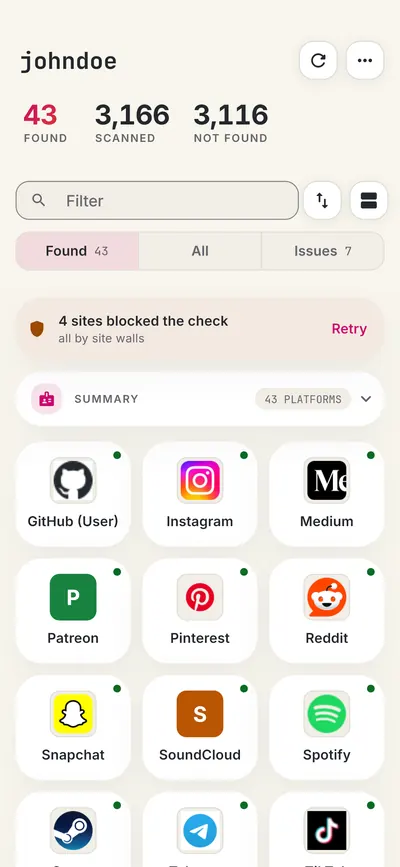
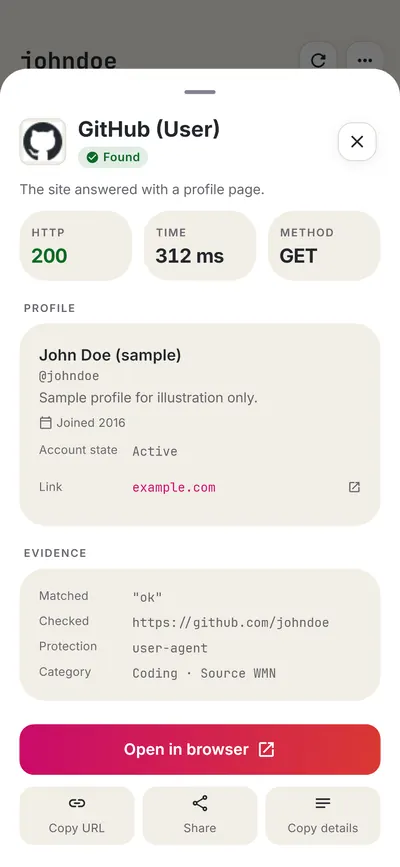
Check all 3,450+ sites at once with the full username search, or get the Android app to run the same search from your phone.

 FreeUsername: Username Checker
More gaming username checkers
- Xbox Gamertag Checker
- PlayStation Online ID Checker
- Roblox Username Checker
- Twitch Username Checker
- Chess.com Username Checker
- Minecraft Username Checker
- All 20 gaming checkers
- All platform checkers · All 3,450+ supported sites · Search every site at once
Not affiliated with Steam. FreeUsername is an independent tool, not endorsed by Steam, the WhatsMyName project, Sherlock or Maigret. Results are leads to verify.