

Guide
How to use the free AI username search
FreeUsername AI adds two things to a normal username search: a note on what AI knows about the name, and an AI OSINT summary of the public profiles found on 3,450+ sites. This guide walks through both with real screenshots. To start right away, open the free AI username search.
1. Pick the AI search tab
Above the search box, choose AI search. The tab shows how many free AI summaries you have left today (3 a day). It opens the AI username search page.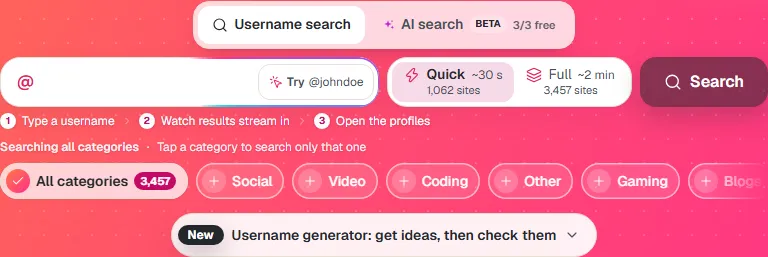
2. Type a username and accept the AI terms
Type one username and press Search. The first time, a short box asks you to agree to the Privacy Policy, cookies and the Terms for AI features. Tick the box and press Continue. Your browser remembers the answer.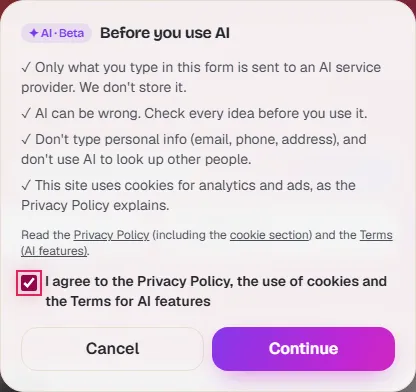
3. Read what AI knows about the name
While the search runs, a card shows what AI knows about the username. If a well-known brand or project uses the name, you get a short note from its encyclopedia entry. Otherwise three AI models each read the name itself: its word parts and the kind of account it suggests.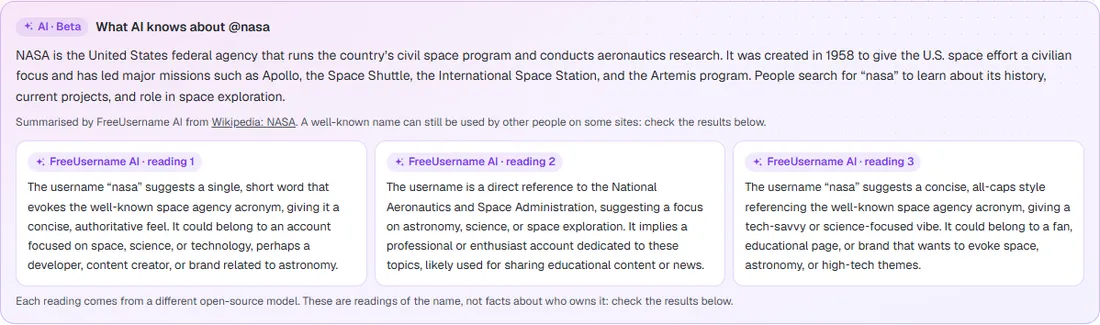
4. Get the AI OSINT summary
When the scan of 3,450+ sites ends, a quick security check runs, then the AI summary starts on its own. It groups the found profiles by type of site, says whether they look like the same person, notes activity hints and suggests name variants to check next.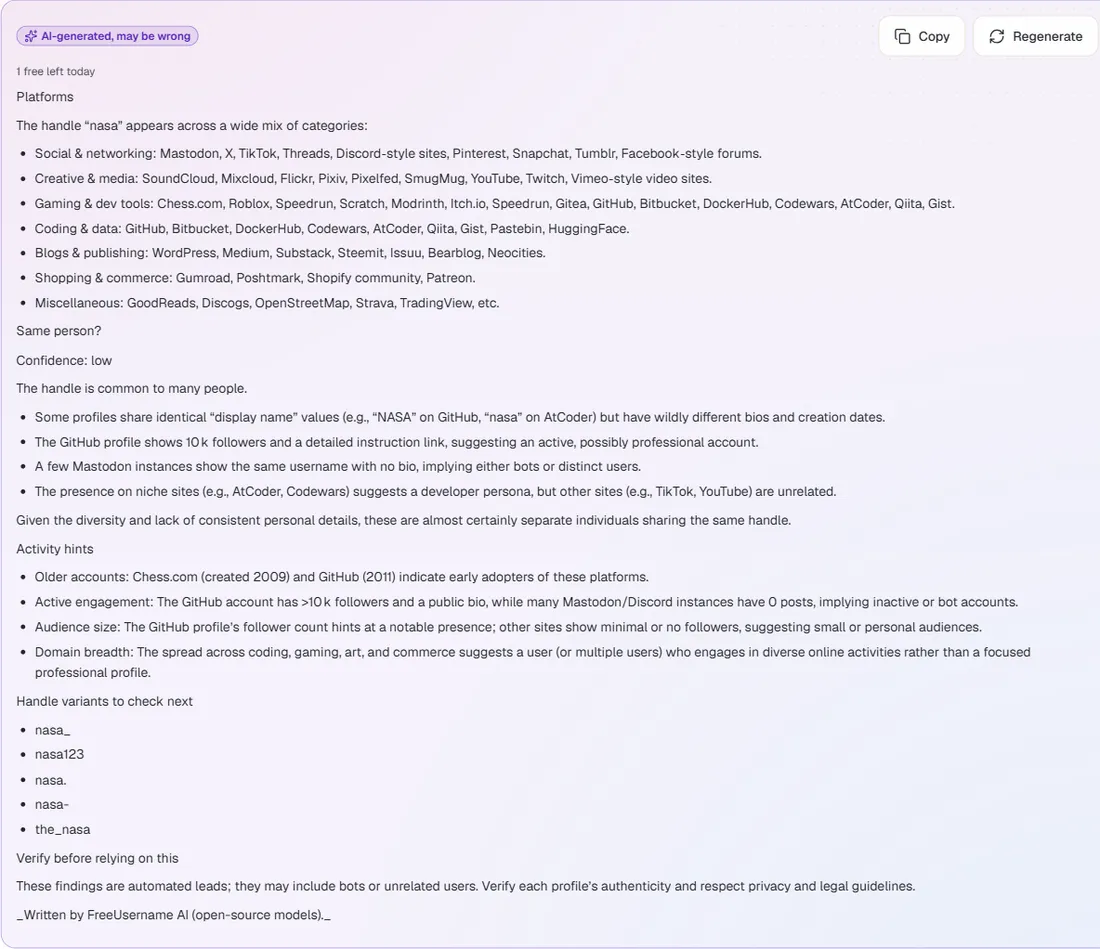
5. Check the profiles yourself
The summary is a lead, not a fact. Open the profiles it mentions from the results below and confirm them. Copy saves the summary; Regenerate writes a new one and uses one more free summary.
What the AI can and can't do
- It can sort found profiles by type of site, spot accounts that look alike, read public bios and follower counts, and suggest variants of the name.
- It can't see private profiles, deleted posts, email addresses or real names that profiles don't show. It never searches anything new on its own.
- It can be wrong. Treat every line as a lead and check it. Don't use results for hiring, housing, credit or insurance decisions.
For a wider check of your own name, see how to use the digital footprint check. For research work, the OSINT username search page explains the full method.
FAQ
Is the AI username search free?
Yes. The username search is free and unlimited. The AI summary is free 3 times a day per visitor, and a failed summary gives the credit back. The Android app has more AI uses.
Is this an AI OSINT tool?
Yes, for usernames. It checks 3,450+ public sites like any username OSINT tool, then AI reads the found profiles and writes a short summary. It does not look people up by real name, email, phone or address.
What does "What AI knows" mean?
It is what AI can say about the username itself. For a famous name it summarizes the public encyclopedia article. For other names it describes what the name suggests, never facts about whoever owns it.
Can the AI tell me who owns an account?
No. Many people share the same username. The AI points out profiles that look related, but you need to confirm every match yourself.
Is my search stored?
No. Only daily counts are kept. The username, the results and the AI summary are not stored.
Can I use it for my own digital footprint?
Yes, that is one of the best uses. Search your old handles and the summary shows where they still appear. See the digital footprint guide for what to do next.
More guides
Ready? It is free and needs no account.
Try the AI username search