
Guide
How to use the username generator
The username generator turns a few words into handles that already fit a platform's rules, then hands them to the search so you can see which ones are free. This guide covers each control, the optional AI ideas, and the Check all button. It uses the example words "night owl coffee".
1. Pick a platform
Open the username generator and choose a platform from the first menu, such as TikTok, Instagram, Discord or Roblox. Each one has its own length and character rules, and the ideas are cut to fit them. Choose Any site if you want one name that works almost everywhere.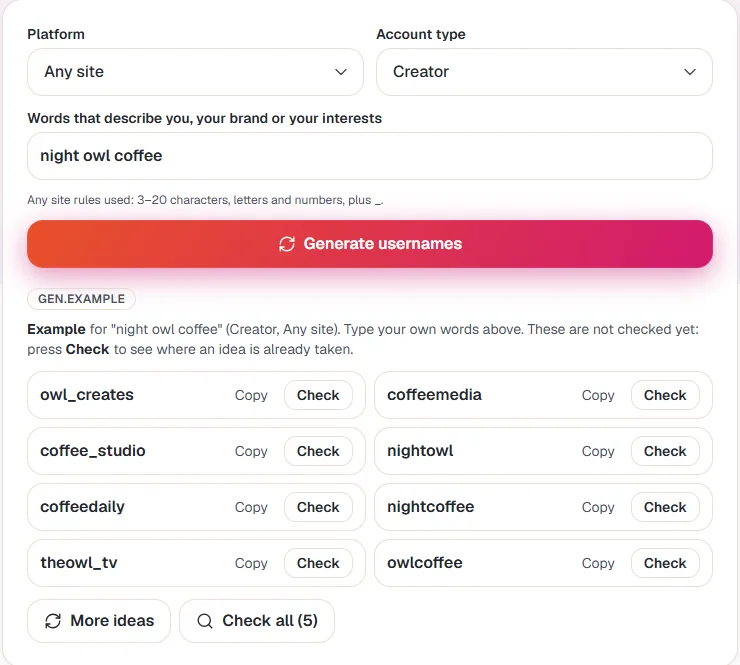
2. Pick an account type
Personal, Creator, Business and Gamer change the extra bits the generator tries. A shop might get "hq" or "store", a gamer might get "gg", and a creator might get "tv" or "studio".3. Type a few words about you
Add two to four words: a nickname, a hobby, your brand or something you like. "night owl coffee" works better than a full sentence. The line under the box shows the rules being used, for example 3 to 20 characters with letters, numbers and underscores.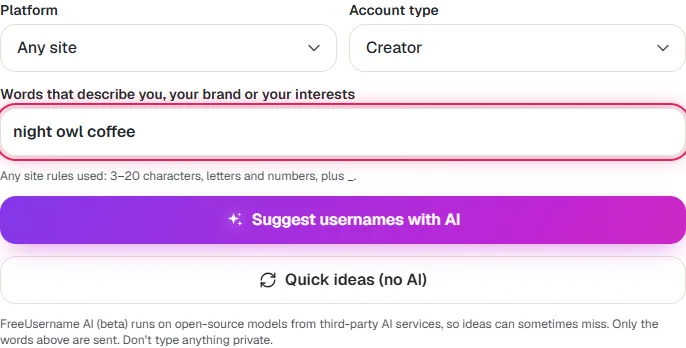
4. Generate ideas, with or without AI
Press Generate usernames (or Quick ideas) for instant ideas built in your browser. When AI ideas are switched on, a second button, Suggest usernames with AI, sends only your words to an AI service provider and returns more creative ideas. The first time, a short notice explains what is sent; tick the box and press Continue to agree, or Cancel to skip it.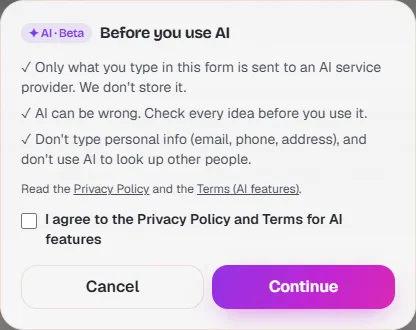
5. Copy the ideas you like
Each idea has a Copy button. Press More ideas for a fresh batch with the same settings. Ideas are not checked yet at this point, so a name on the list can still be taken.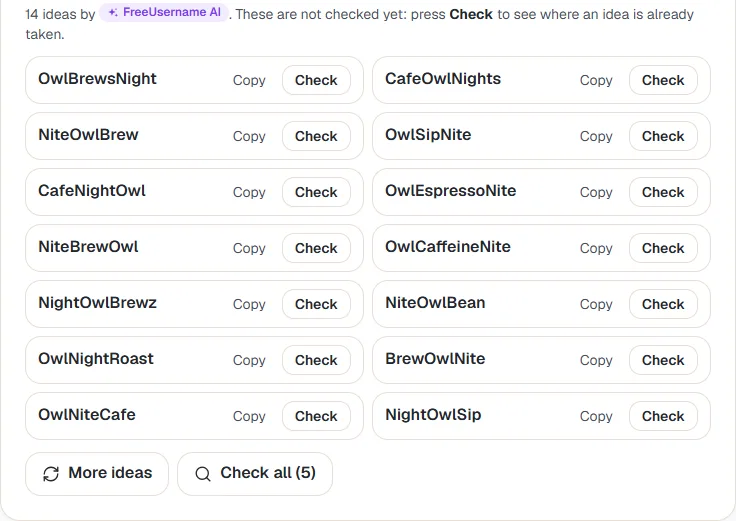
6. Check one idea, or Check all
Press Check next to an idea to run a full username search for it. Check all opens one search with the first 5 ideas, so you can see where each one is free side by side. Then claim your favourite on the sites you need.
Getting better ideas
- Swap one word at a time. Changing "coffee" to "espresso" gives a different set without losing the theme.
- Try the Gamer type for short, punchy tags, and Business for names that read well on a shop sign.
- Short on luck? Read what to do when a username is taken.
- Once you have a name, write a matching profile with the AI bio generator.
FAQ
Is the username generator free?
Yes. It needs no account. The quick ideas are made in your browser, so nothing is sent until you press Check.
What is sent when I use AI ideas?
Only the words you typed, the platform and the account type. They go to an AI service provider to write the ideas and are not stored by us. Do not type private details such as an email or phone number.
Why do I not see the AI button?
AI ideas can be switched off for a while, for example during maintenance or after many requests in a short time. The quick ideas still work.
Are the ideas guaranteed to be free?
No. The generator only makes names that fit the rules. Press Check to see where each one is already taken.
Can I use the ideas for a business?
Yes, but also search the name for trademarks before you build a brand on it.
More guides
Ready? It is free and needs no account.
Open the username generator